Timeline
Open: World → Timeline
Timeline organizes historical world events. Use it to see which events happened first. Adding events does not advance time during play.
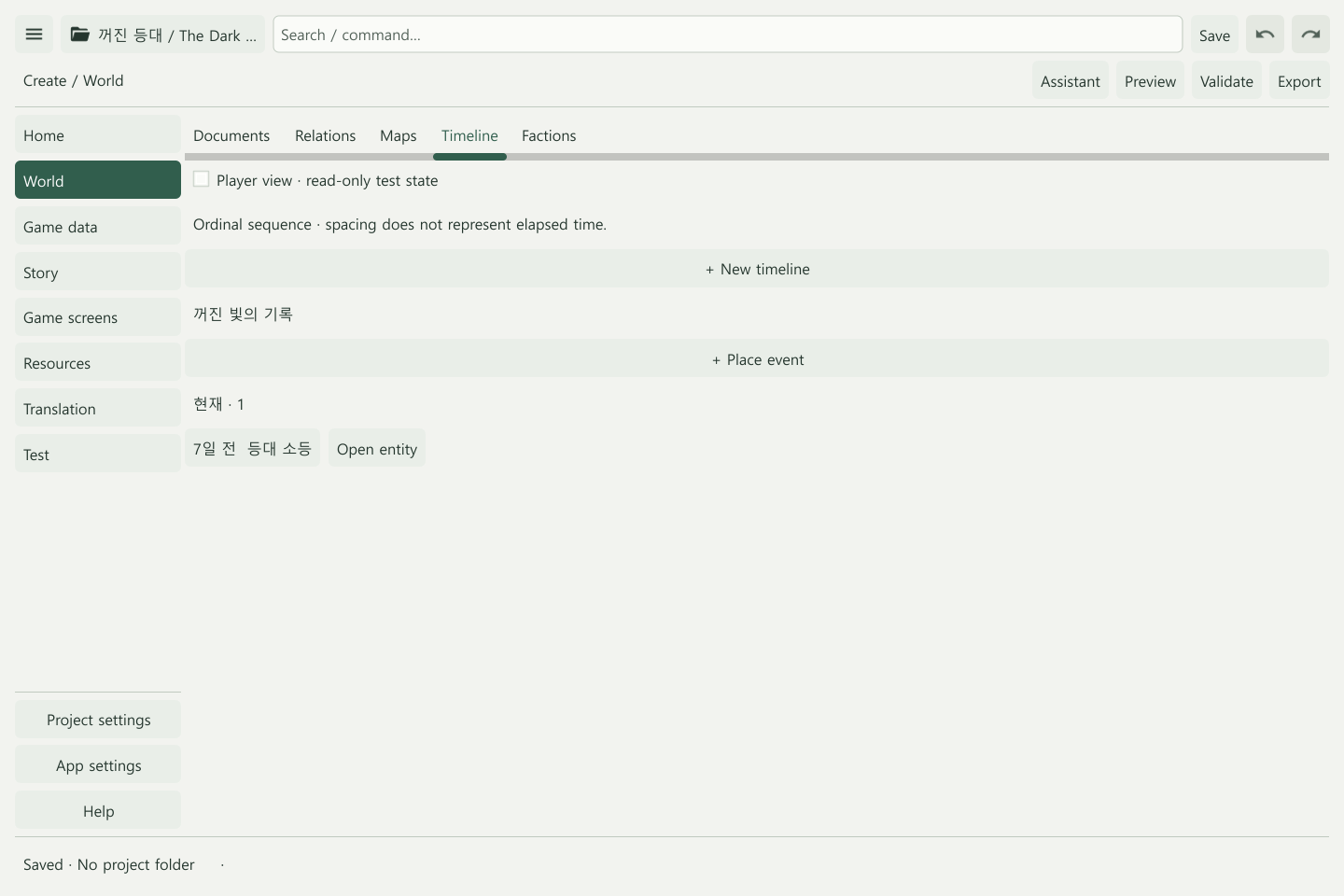
Place an event
- Create an event-type entry in World.
- Choose Timeline → + New timeline.
- Select the event through + Place event.
- Set its era, date label, order, and related entries.
- Apply, use Open entity to check the event text, and save.
Date labels and order
| Field | Purpose | Example |
|---|---|---|
| Era | A named historical period | Year 3 of the lighthouse calendar |
| Date label | A free-form date readers see | Seven days ago, late autumn |
| Order | A number used to arrange entries | 10, 20, 30 |
| Unknown time | An event without a settled date | An ancient legend |
| Related entity IDs | People, places and other related entries | The lighthouse and its keeper |
Card spacing does not represent elapsed time. Changing a label such as “seven days ago” does not by itself change sorting; check Order too.
Connect earlier events
Use Predecessor placement IDs to identify earlier timeline placements. A world event ID and a timeline placement ID are different. Record any necessary ordering exception in Order exception reason.
For example, arrange “The light goes out,” “The guild starts investigating,” and “The traveler arrives.” Link places and people to each event to check consistency while browsing.
Visibility and edits
Set event and placement visibility, then inspect Player view. Use Remove placement to remove an entry from the timeline; this differs from deleting its world description.
Before saving, check the event order, linked entries, and any events whose dates are still unknown. Define the actual play sequence separately in Scenes & actions.
Related: World building · Relations