From world lore to a playable story
Narrafield Studio is a TRPG engine developed by sortie. Write about the people and places in your world, give players choices, and turn the story into a game.
Start with one place, one character, and two choices. Finish a short story before adding the rules it needs.
1. Build the world behind the story
Use World for names, summaries, and descriptions. Connect people and organizations in Relations, place locations on Maps, and arrange events in Timeline. Each view uses the same entries, so you do not have to maintain separate copies.
For a story about an extinguished lighthouse, create the harbor, lighthouse keeper, and guild, then connect them. Separate public lore from information reserved for the GM.
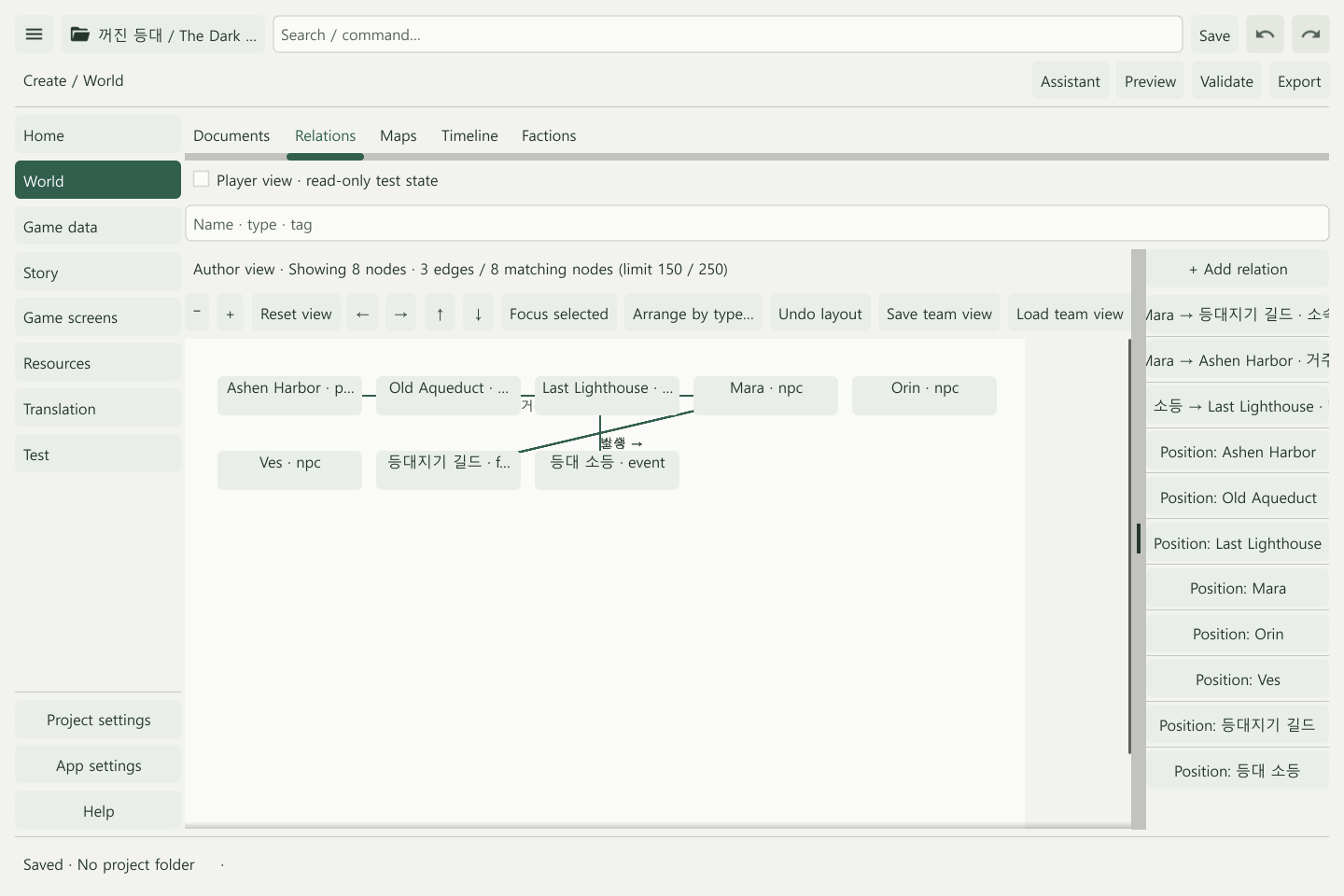
World building · Relations · Maps · Timeline
2. Turn lore into scenes and choices
In Story, write a scene and add actions such as “Persuade the keeper” or “Look for another route.” Connect each action to its destination and add conditions or dice checks when needed.
A lighthouse entry describes a place. Visiting it requires a scene and an action that leads there. Link the lore to the scene, then define movement through action destinations.
3. Add the rules your story needs
Use Game data to define and assign items, quests, resources, skills, spells, and characters. Use Factions for guild membership, reputation, and goals. A story without combat can begin with scenes and choices.
Components provide narrative, d20-check, and combat bundles. Add a bundle, then connect it to your existing story.
Game data · Factions · Components
4. Play, check, and export
Use Validate to find invalid references and Preview to test success, failure, and ending routes. Export the completed project as a standalone game. Online play requires a separate server setup.
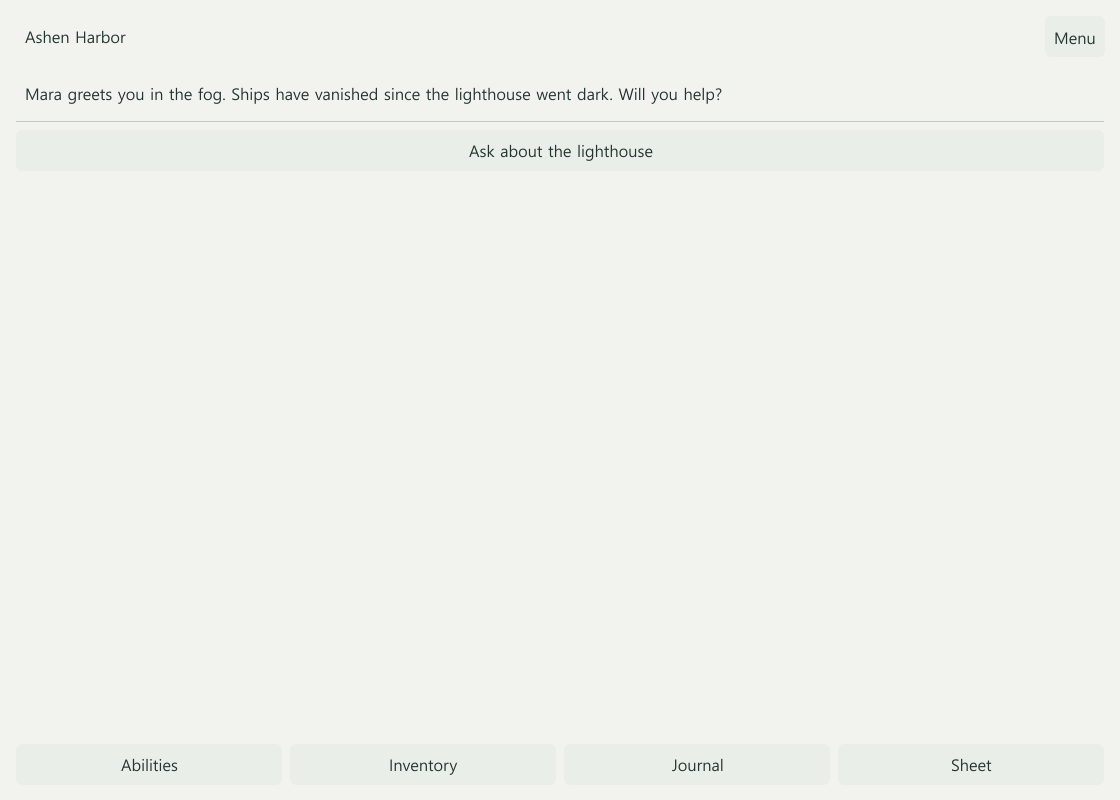
Play and export · Online sessions
Start alone, finish together
Project settings → Version control helps teams share changes through Git. Translation manages Korean source text and English translations for supported game content.
A development alpha is available now. Download the demo to try it, or read about supported features and development plans. The full product’s store pages are coming soon.
Next: Start with the sample or explore the editor menu guide.
Explore next
The creation workspace separates content from project and app settings. Starter images and templates, game screens, and roleplay chat are available in the demo.
Freeform screen layouts, guided recommended setups, and deeper consequences across worlds and long campaigns remain planned. See Your first story and Current capabilities.