Game screens and customization
Demo 0.8.0 puts the scene and choices at the center of play, with details available when needed. The screen below shows the bundled A Small Errand story.
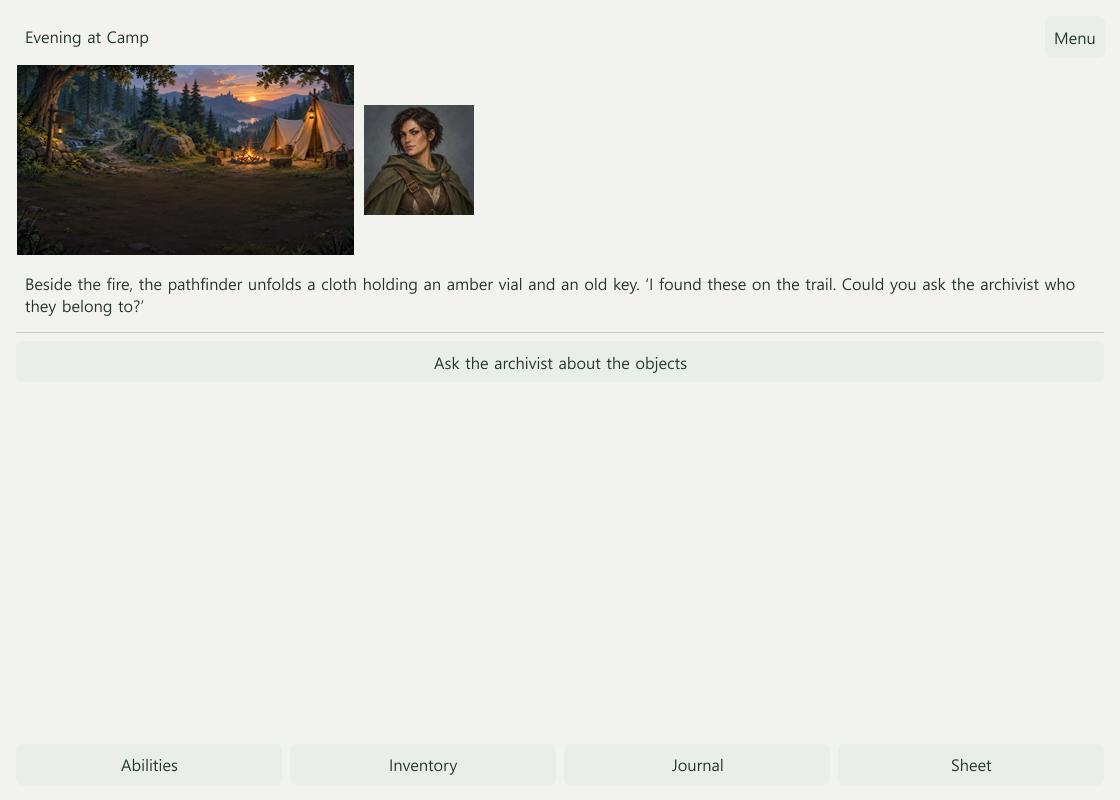
The player’s screen
The top bar shows the current place and Menu. Scene text and choices are central; abilities, inventory, history, and the character sheet open when needed. Choice conditions and checks follow the creator’s rules.
Exported offline games begin with New game or Load on the title. During play, Menu provides saving, loading, settings, notices, and returning to the title. Editor preview and online games have different save and operation controls. See Play and export.
The editor’s Game screens menu
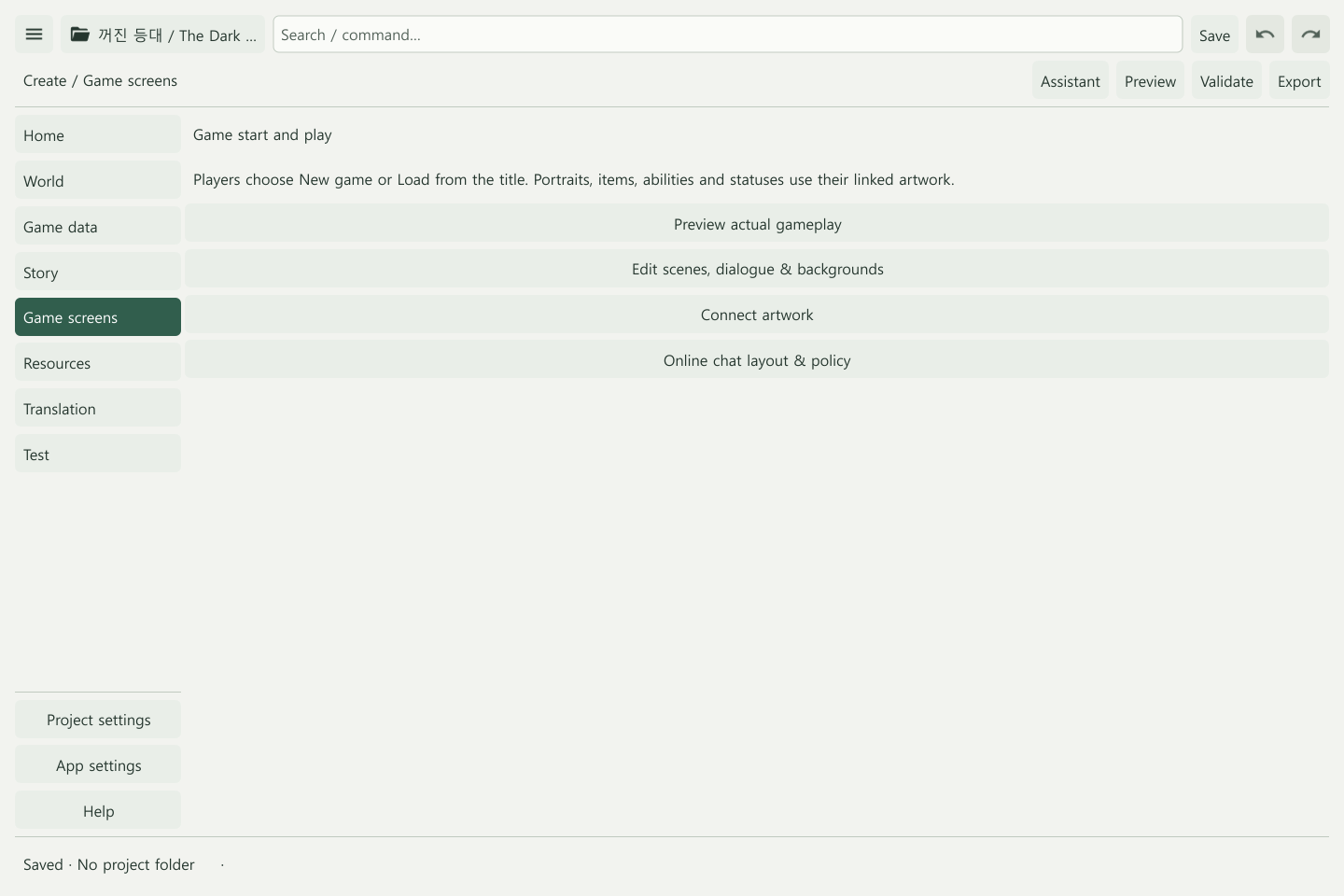
Game screens currently links to actual gameplay preview, scene/dialogue/background editing, artwork, and online chat layout and policy. It does not yet provide a freeform widget layout editor.
Connect scene backgrounds in Story, and assign portraits, items, abilities, and status images to their definitions. Bundled art is under Resources → Assets → Bundled. Starter content
Conversation during online play
In Project settings → Online & operations, choose Text roleplay or Scene with chat panel. Text roleplay puts the transcript and composer at the center; scene mode lets you open or pin conversation beside the scene.
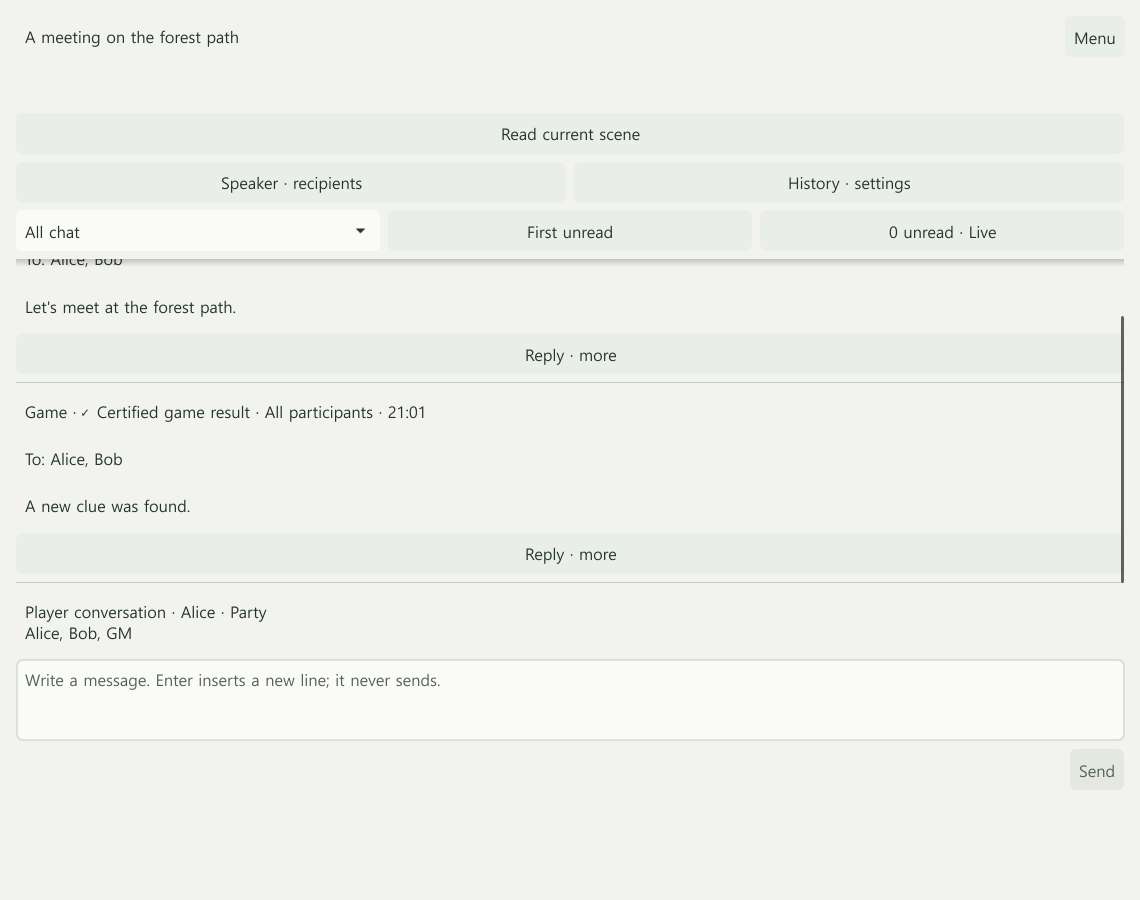
Basic chat is included in the demo and requires a configured server connection. See Roleplay chat for messages, permissions, and records.
Editing features still planned
Free placement of dialogue, objectives, resources, and sheets; game-specific themes; character-creation screens; tactical layouts; and screen-pack sharing remain in development. Current appearance preferences affect this device without changing rules or information permissions.